
For Clinicians
Case Studies
We’ve been receiving lots of feedback from GPs about the difficulty in filling out and returning NHS pension forms.

Previously when you requested that we create an invoice, we’d ask if you claim pension. If you said yes, we’d then email you a form which you’d have to sign and return to us. However from 15th April 2014 we are going to be able to automatically generate them for you. There’s no more waiting around and having to source printers and scanners. Hooray!
So, what do you need to do?
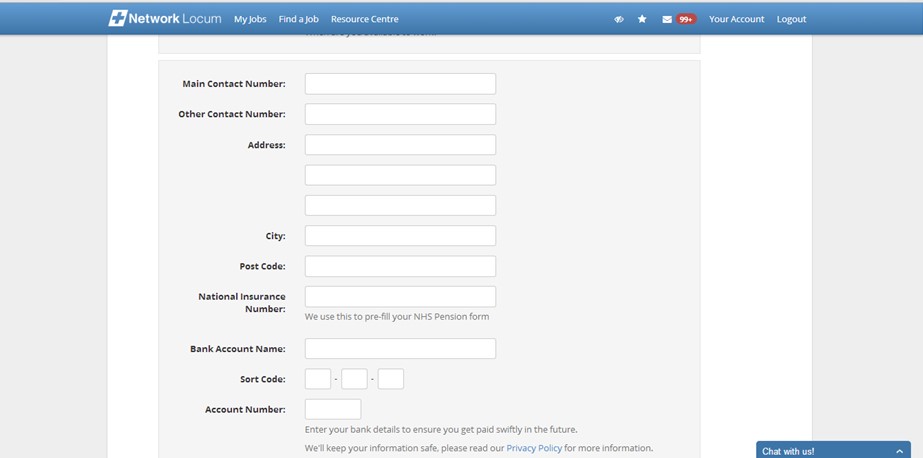
Just one simple thing: Update your National Insurance Number on your profile. Once that information is updated we will be able to create them for you in no time.
TOP TIP : Whilst you’re there it’s also a great idea to update your Address and Bank Details too, so that we can make your invoice immediately.
So, how do you do it?
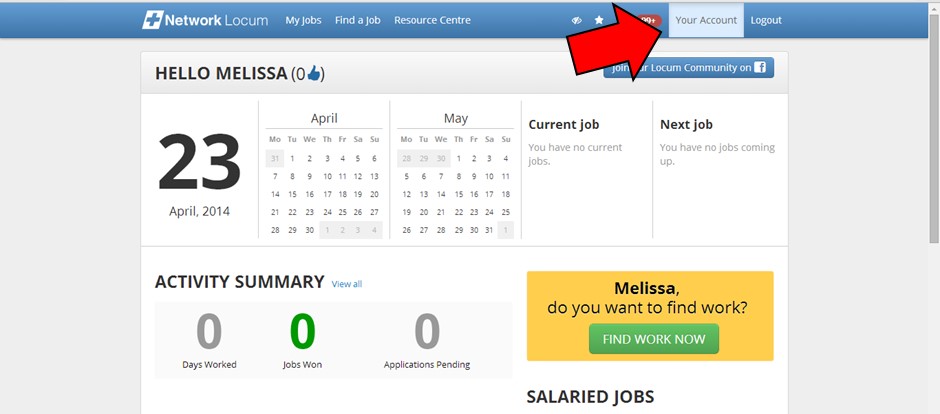
Simply log in and click ‘Your Account’ in the top right hand corner.
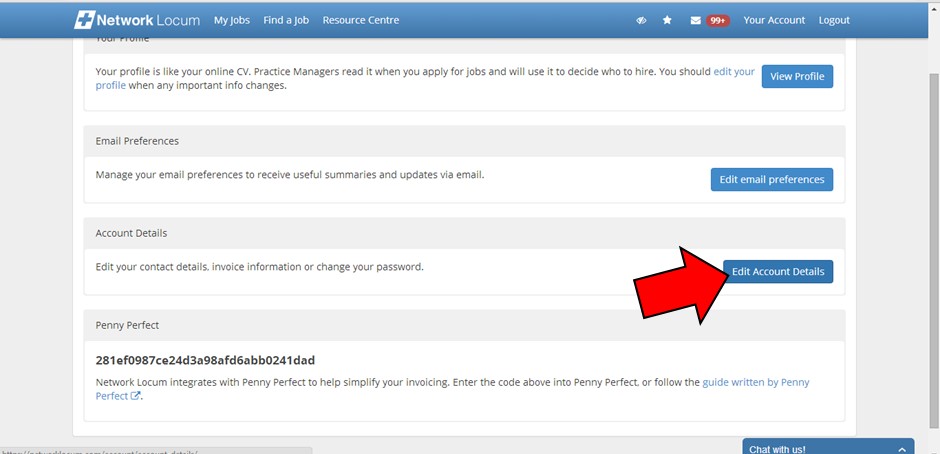
Then click on ‘Edit Account Details’
Then simply fill everything in.
Top Tip Run Down